
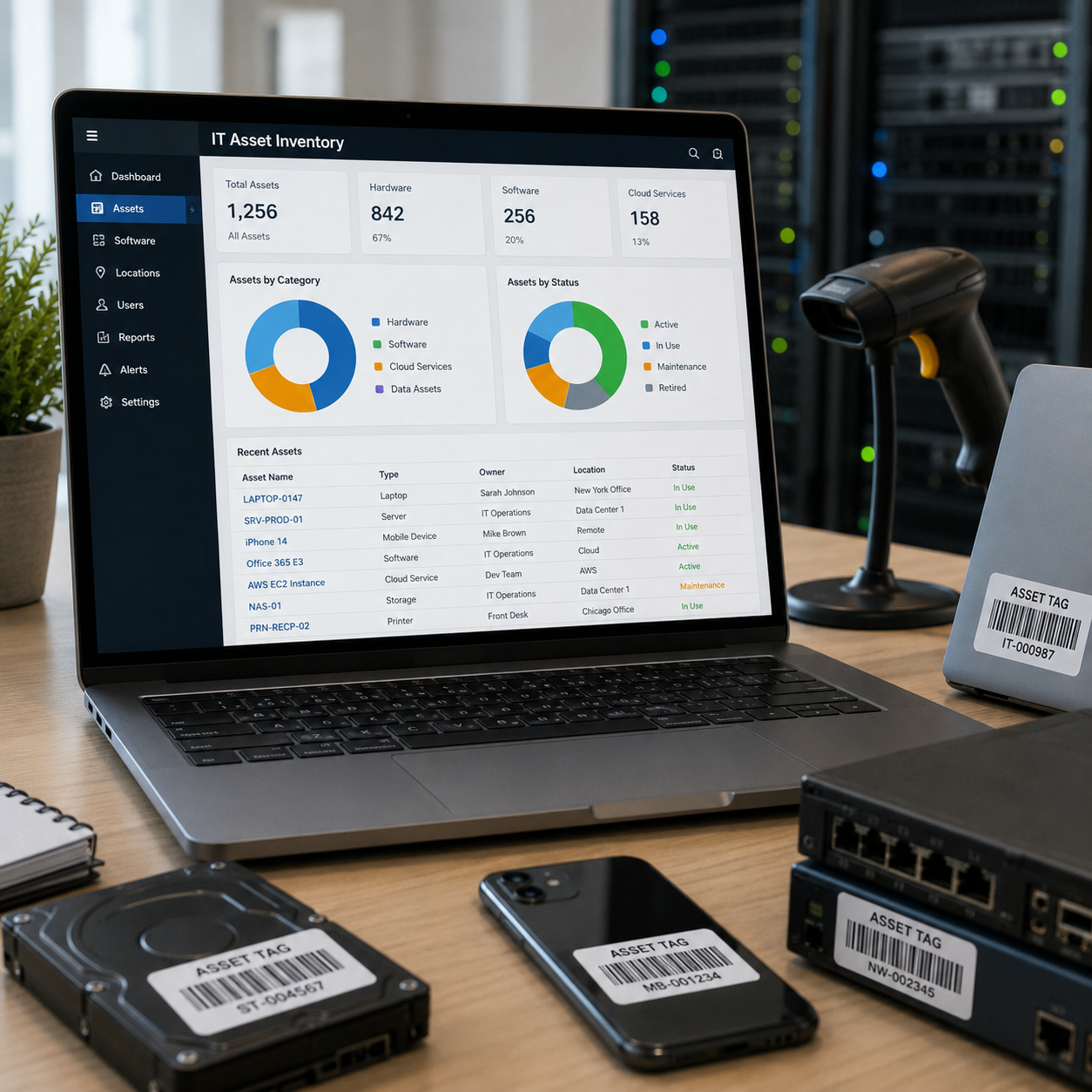
An IT asset inventory gives organizations a complete view of the technology they own, use, and manage across the business. By tracking hardware, software, cloud services, data assets, users, locations, and lifecycle status, companies can control costs, strengthen security, support compliance, and make better decisions from acquisition through retirement.
TL;DR
- An IT asset inventory is an organization’s centralized records of their hardware, software, cloud services, data repositories, assigned users, and asset status.
- Accurate IT inventories reduce unnecessary spending, strengthen security, support compliance, and improve IT lifecycle planning.
- IT asset management uses inventory data to guide maintenance, upgrades, renewals, security controls, and secure end-of-life disposition.
What Is an IT Asset Inventory?
An IT asset inventory is an organization’s complete, continuously updated record of its technology resources. It includes physical hardware (like computers and servers), software licenses, and the data those systems store or process. It helps a business know all assets it possesses, their locations, assigned users, and current status (active, under maintenance, in storage, or retired).
Think of it as a detailed map of the organization’s technology environment.
Rather than simply listing what the company owns, it tracks each asset throughout its lifecycle – from procurement and deployment to maintenance, reassignment, and secure decommissioning through certified IT asset disposition (ITAD) services where appropriate.
IT Asset Inventory Example
A typical IT asset inventory groups technology resources into four main categories:
- Hardware: Laptops, desktop computers, servers, smartphones, printers, routers, switches, and other networking equipment. These assets are commonly tracked and managed through Hardware Asset Management (HAM) processes.
- Software: Operating systems, enterprise resource planning (ERP) platforms, productivity suites, customer relationship management (CRM) tools, and user- or device-based software licenses.
- Cloud Services: Software-as-a-Service (SaaS) subscriptions, cloud storage, virtual machines, and other hosted infrastructure.
- Information and Data Assets: Business-critical databases, data repositories, and records showing where sensitive, financial, or regulated information is stored.
Why an IT Asset Inventory Is Important
An IT asset inventory gives organizations a comprehensive operational view of the technology environment they depend on. It supports better decisions, clearer ownership, and faster responses when systems change or fail.
Its primary benefits include:
- Cost Savings: Find unused software and redundant tools.
- Security: Map gaps to patch before exploitation.
- Compliance: Meet legal standards like GDPR.
- Lifecycle: Optimize maintenance to extend asset life.
- Visibility: Track foundational asset dependencies.
In practice, stronger asset visibility can produce substantial savings.
Federal Agencies Save $4.6 Billion Through Asset Tracking
U.S. federal agencies reported saving approximately $4.6 billion between 2014 and 2025 through improved software-license tracking and usage analysis. Last year alone, the General Services Administration saved $9.6 million by identifying and removing over 114,000 unused licenses.
From a security perspective, accurate asset records are equally important.
33% of IT Assets Across Industries Lack Security Controls
A 2026 analysis of more than 800,000 IT assets found that 33% lacked essential security controls, and 17% were invisible to standard vulnerability tools. At the same time, nearly one in five ran end-of-life hardware or software.
Beyond cost and security, untracked technology also creates serious operational blind spots.
21% of Enterprise IT Leaders Struggle with Shadow IT
A recent international survey of 1,905 IT decision-makers across the U.S., Australia and Europe found that 21% struggled to identify and manage shadow IT or short-lived assets, while 16% reported gaps involving rogue or unmanaged devices. A further 19% reported difficulties in prioritizing threats within their asset inventory.
How to Build and Maintain an IT Asset Inventory (5-Step Process)
Building a scalable system requires a structured approach to information technology inventory management:
- Discovery: Use automated discovery tools to scan your networks, cloud environments, and connected systems, including remote and mobile endpoints.
- Recording and Tagging: Create a unique inventory record for each asset and, where appropriate, apply QR codes, barcodes, or RFID tags so physical equipment can be reconciled with its digital record.
- Classification: Organize assets into categories based on type, function, location, owner, lifecycle status, or business criticality.
- Centralization: Store asset data in a secure Information ITAM (IT Asset Management) platform or centralized repository, with CMDB (Configuration Management Database) integration where asset relationships and dependencies must be tracked. This creates a single source of truth and eliminates data silos.
- Continuous Auditing: Reconcile inventory records through scheduled audits and automated updates so changes in ownership, location, or status are updated in (nearly) real-time.
Moving From List to Action: What Is IT Asset Inventory Management?
While an IT asset inventory records technology assets, ITAM oversees them throughout their lifecycle. It covers hardware and software from acquisition and deployment through maintenance, reassignment, and secure retirement.
By combining inventory records with financial, contractual, and performance data, teams can make better decisions about maintenance, upgrades, renewals, replacement, and depreciation.
Applied from acquisition through retirement, effective IT Asset Lifecycle Management helps maximize return on investment, reduce downtime, and keep technology aligned with core business goals.
IT Asset Inventory Management Best Practices
To manage inventory IT more effectively, adopt these industry-standard practices:
- Automate Discovery: Manual spreadsheets are prone to errors and quickly become outdated. Automated discovery tools provide a continuously updated view of the environment and help identify unused or forgotten (“zombie”) assets that continue to incur costs.
- Define Clear Ownership: Link every asset to a specific individual, team, or department to establish accountability for its security, maintenance, and appropriate use.
- Prioritize Security: Your inventory system should flag devices and software approaching End-of-Life (EOL), allowing teams to replace them before the loss of vendor support increases security exposure.
- Segment Networks: Classify assets by sensitivity and business criticality, then use the inventory data to inform access controls and network segmentation..
Keeping the IT Asset Inventory Accurate Through Retirement
An inventory is only as reliable as its last entry, and retirement is where records tend to break.
Green Wave Electronics closes that gap with R2v3-certified IT Asset Disposition (ITAD), capturing serial numbers at pickup and issuing Certificates of Destruction for every asset processed.
Launch a closed-loop retirement process, from the first pickup to the final Certificate of Destruction.
Get started with secure ITAD. Contact us today.
FAQs
An IT asset inventory should include hardware (servers, laptops), software (licenses, versions), cloud services (SaaS), data assets, and network components. It must record critical details: serial numbers, purchase dates, location, owner, status, maintenance history, and financial/contractual data like warranties, costs, and SLAs.
Inventory management in IT is the process of identifying, recording, and tracking all technology resources. It focuses on the physical details-what assets are owned, where they are located, and their lifecycle status.
Effective computer inventory management involves discovering assets using automated scanning tools or agents for real-time visibility. Assets should be categorized and stored in a centralized repository with details like owner and status. Use automation to track the full lifecycle and enforce security. Regular audits are necessary to keep data accurate.
An IT asset typically consists of four main categories: hardware (physical devices like servers), software (licenses and applications), cloud-based services (SaaS/IaaS), and data assets (databases and files). Other sources classify them based on financial roles as tangible, intangible, current, and fixed assets.
To inventory equipment, use automated discovery tools to scan the network for connected devices. Assign unique identifiers to every item using barcodes, QR codes, or RFID tags for quick tracking. Record details like serial numbers and locations in a central database. Finally, perform regular audits to ensure digital records match physical stock.
Hardware inventory management is the process of tracking physical assets such as servers, laptops, and networking equipment. It involves maintaining a fixed asset repository that documents location, maintenance history, and lifecycle status. This ensures every physical resource is accounted for, properly maintained, and replaced at the right time.