
Every physical IT asset has a lifecycle: it is purchased, configured, maintained, and eventually retired. In a corporate setting, managing each stage effectively shapes cost control, security, compliance, employee productivity, and value recovery.
Hardware asset management is a structured framework that provides organizations with a controlled way to know what IT equipment they have, where it is, who uses it, and what condition it is in, rather than relying on disconnected spreadsheets, incomplete records, or reactive audits.
What is Hardware Asset Management?
Hardware Asset Management (HAM) is the systematic practice of overseeing and optimizing the physical components of an organization’s IT infrastructure throughout their useful life.
Often treated as a subset of IT Asset Lifecycle Management, a larger framework that also includes software, licenses, user access, contracts, and other non-hardware IT assets, HAM focuses specifically on hardware units.
IT Hardware Asset Types
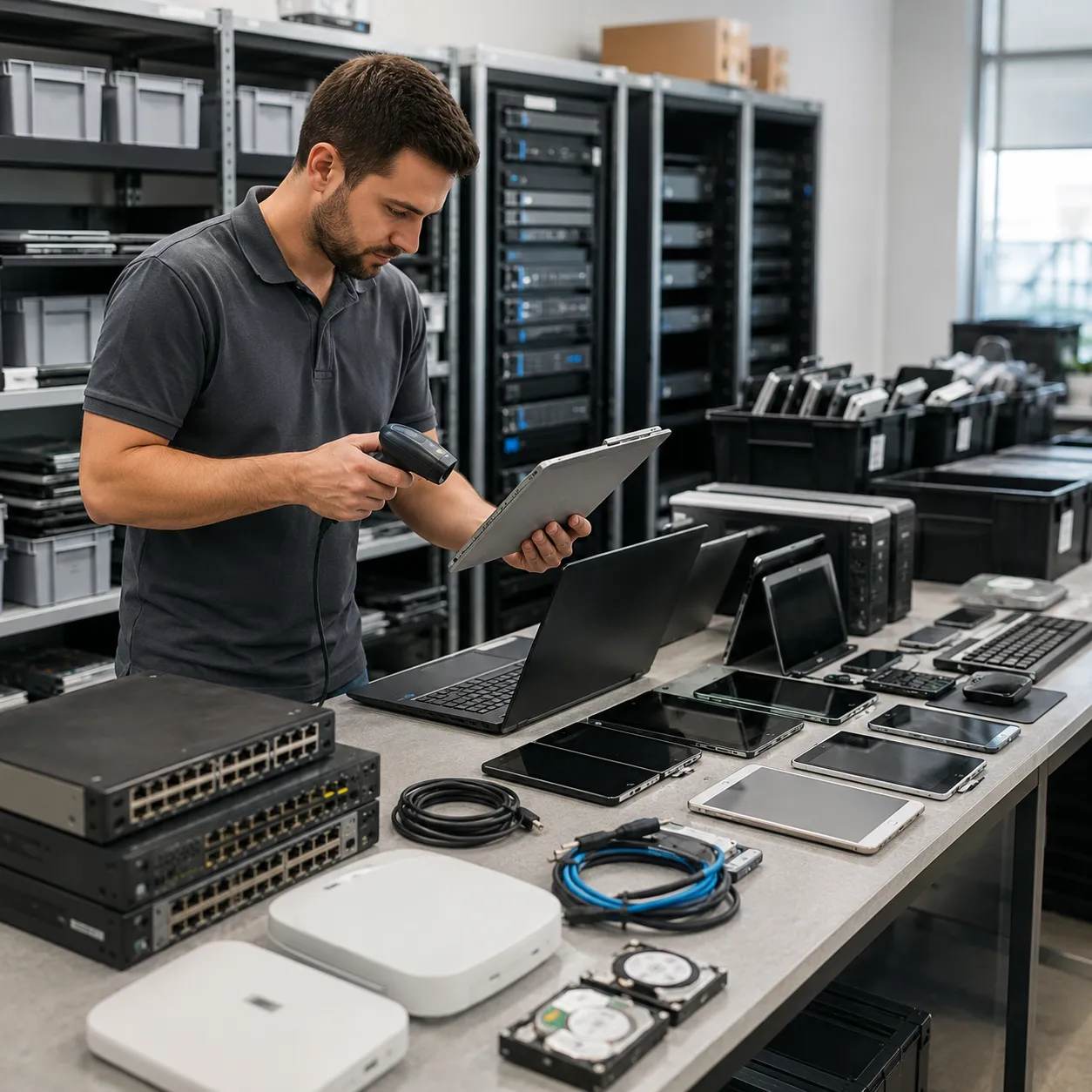
Hardware asset management covers every physical technology item an organization owns, issues, supports, or retires. That includes common devices like laptops and desktops, but also the infrastructure, peripherals, and remote-work equipment that keep daily operations running.
- End-User Devices: Laptops, desktop computers, smartphones, tablets, and even SIM cards.
- Networking and Telecom: Essential infrastructure such as routers, switches, load balancers, and video-conferencing hardware.
- Data Center Equipment: High-value assets like servers, storage arrays, and the physical security devices protecting them.
- Peripherals and Accessories: Often overlooked items such as monitors, scanners, printers, keyboards, and cables or adapters.
- Remote employee setups and personal devices used for business under “Bring Your Own Device” (BYOD) policies.
What Are the Benefits of Hardware Asset Management?
Effective HAM solutions offer multiple operational, financial, and security advantages. Ultimately, they turn an organization’s IT infrastructure from a chaotic expense into a strategic business asset.
Some key benefits include:
-
Reduced Unnecessary Spending
Accurate IT asset inventory records prevent from equipment over-purchasing or duplicate purchases by identifying underutilized assets that can be redeployed.
-
Reduced Downtime
Hardware asset management tools proactively monitor IT device health and set regular maintenance schedules to help ensure that employees have functional, up-to-date equipment.
-
Complete Visibility
HAM provides a comprehensive view of all hardware, helping organizations identify and secure vulnerable or unmanaged devices.
-
Data Breach Prevention
Proper lifecycle management ensures that sensitive information is securely wiped from devices during the retirement phase, protecting corporate and customer data.
-
Theft & Loss Prevention
Real-time tracking and ownership assignment make it much easier to identify missing IT hardware and mitigate the risks associated with lost or stolen hardware.
-
Simplified Audit Readiness
HAM keeps detailed records and audit trails organized, making it easier to support regulatory compliance and prepare for physical inventory audits without last-minute record chasing.
-
Warranty & Contract Management
Automated alerts for expiring warranties ensure no manufacturer-covered repairs are missed, while detailed performance and usage data can support more informed vendor contract negotiations.
-
Eco-Friendly Disposal
A structured retirement phase ensures that hardware is disposed of through certified ITAD services or recycled in accordance with environmental regulations and corporate sustainability goals.
The Hardware Asset Management Lifecycle: 5 Core Stages
The IT hardware asset management lifecycle helps each device deliver value from the moment it enters the organization until it is retired.
Here are the five core stages of HAM, along with some best practices.
1. Planning
- Setting a budget and defining hardware standards (or approved device models) before purchasing helps acquisitions stay consistent.
- Assigning a clear owner for each lifecycle stage (planning, procurement, deployment, maintenance, retirement) means that nothing falls through the cracks.
- Deciding what data fields are mandatory for every asset record (cost center, purchase cost, expected lifespan) before inventory starts growing.
2. Sourcing & Procurement
- Treating vendor selection and contract negotiation as a distinct step before placing orders.
- Logging each asset in the tracking system at the moment of purchase rather than after it arrives and including details such as cost, warranty terms, and ownership.
- Linking each asset to its purchase contract and invoice, so audits don’t require chasing down paperwork later.
3. Deployment & Integration
- Verifying the physical receipt against the purchase record before tagging the asset is the best way to catch shipping discrepancies early.
- Installing required software and completing configuration before marking a device as ready for use, meaning it has been configured, secured, assigned, and documented, not just physically placed on a desk.
- Logging operational fields, like deployment date, assigned user, location, lifecycle status, and responsible owner, so the asset’s ready-for-use state is documented, not assumed.
4. Maintenance & Support
- Keeping location and ownership records current as devices move between users or departments, not just tracking depreciation.
- Using operational data (age, cost, usage) to proactively flag refresh candidates and “ghost” assets (i.e., IT devices that are sitting idle or unaccounted for) rather than discovering them at audit time.
- Following a set audit cadence instead of a single annual pass, commonly monthly spot-checks plus quarterly full inventory reviews.
5. Retirement & Disposal
- Investigating refurbishment, resale, or donation options as disposal paths alongside recycling, depending on the asset’s condition and organizational policy.
- Documenting wipe or destruction certificates – a core part of compliance if the organization is ever audited.
- Formally closing the asset record and reconciling its financial/depreciation entry, so it’s fully off the books – not just physically gone.
Hardware Asset Management Checklist
Here’s a quick-reference list for keeping physical IT assets accounted for at every stage of their lifecycle.
✓ Centralize inventory in one system
✓ Combine automated discovery + manual entry for full coverage
✓ Detect and merge duplicate records regularly
✓ Require mandatory fields (category, cost center, cost, lifespan) on every asset
✓ Assign a clear owner for each lifecycle stage
✓ Define lifecycle states upfront (in stock, in use, under repair, retired)
✓ Run monthly exception checks + quarterly full audits
✓ Track warranty, health, and depreciation proactively
✓ Link assets to contracts and invoices
✓ Document secure wipe + disposal method before closing the record
Hardware Asset Management (HAM) Examples
In practice, hardware asset management is not just about keeping a device list. It helps organizations track ownership, strengthen security, manage compliance, and recover value from hardware at the end of its life.
Turning Decommissioned Servers Into Reusable Inventory
Google built circularity into its hardware asset management process for data center equipment. Instead of treating decommissioned servers as waste, the company routes retired hardware through reverse logistics, where they are disassembled so parts can be re-inventoried, reused, or resold.
A couple of years ago, Google said it harvested about 8.8 million components from retired data center hardware, including more than 3 million hard drives that were securely wiped and reused or resold. The example shows how HAM supports more than inventory control: it also enables secure retirement, asset recovery, reuse, and responsible end-of-life handling.
Exposing the Cost of Missing Device Records
A recent New York State Comptroller audit found that the Office of Information Technology Services had lost track of 17,887 IT items and had marked 924 lightly used or new computers for destruction even though they were functional. The audit also noted that ITS said a Hardware Asset Management module would help staff follow inventory policies more consistently
Where Hardware Asset Management Meets Responsible Retirement
The lifecycle only closes out cleanly when retirement gets the same rigor as procurement and deployment. Skipping that step is where organizations lose track of assets, fail audits, or expose themselves to data breaches – exactly the risks a complete hardware asset management program is built to prevent.
Green Wave Electronics handles that final stage directly, running R2v3-certified IT asset disposition and electronics recycling programs built around chain-of-custody tracking and Certificates of Destruction. Every device is serial-tracked from pickup through final processing, so retirement never becomes a compliance gap.
Before recycling, Green Wave Electronics prioritizes reuse, salvaging and remarketing devices that still hold value, so retirement supports the same asset-recovery goals outlined earlier in this lifecycle rather than just disposal. That reuse-first approach turns end-of-life handling into a value-recovery step, not a cost center.
The lifecycle doesn’t end at retired; it ends at accounted for. Talk to our ITAD team.
FAQs
HAM (Hardware Asset Management) tracks physical devices like laptops, servers, and routers from purchase to recycling. SAM (Software Asset Management) manages digital assets like applications and cloud subscriptions. HAM prevents equipment loss; SAM ensures license compliance and avoids vendor audit fines.
Hardware management is the practice of tracking, maintaining, and securing an organization’s physical IT equipment. It monitors devices from procurement to disposal, handles repairs, tracks warranties, and ensures secure data wiping at retirement to lower costs and boost security.